What is Authentication and How Does it Work?
That's how apps identify you, secure your account, and personalize your experience

Most online apps and services require us to create an account and log in. This is their way of identifying us as who we say we are and showing us the data related to us. Let’s take Twitter as an example. To access Twitter, you first need to create an account and then log in. So, what exactly does logging in mean, and what happens behind the scenes when you enter a username and a password?
This process is what’s referred to as authentication. It's a method for an app or service to verify your identity, ensuring that you, and only you, get access to your personal information.
Why Do We Need Authentication?
Access to all my data in an app must be protected and only I should be able to access it. Apps ensure this through authentication. The security and protection of your data is the most important task of authentication. Another area where authentication enhances an app is through customization and personalization.
Most apps where you log in are customized for you. Twitter has your tweets, followers, and direct messages. Gmail contains your emails. Dropbox stores your files. When you want to access your emails, you log in to Gmail. Gmail authenticates you as yourself, then shows you your emails and allows you to send emails as yourself. Similarly, Dropbox requires you to log in to give you access to your files. Without an account or log in, none of this would be feasible, would it?
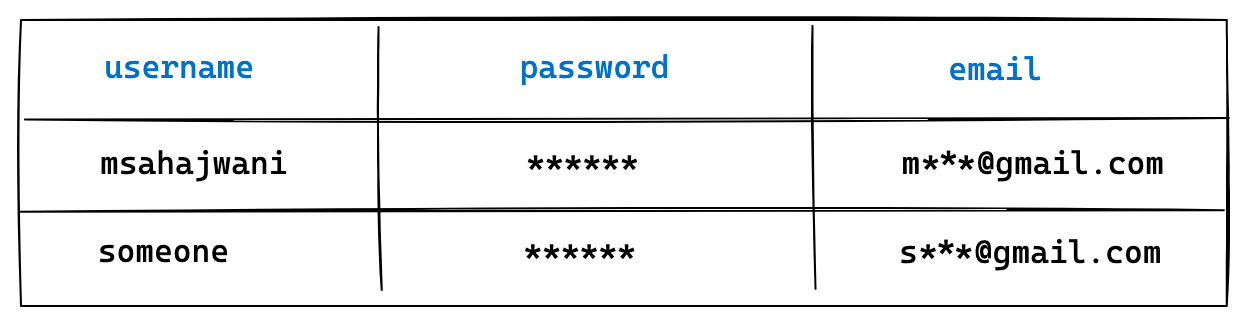
When you create an account in an app, they store this information in a database, and then all other data is associated with this account. For example, in their database, they might have a table for all users. In that table, there would be a record for the user ‘manish’ containing user-related information, such as username, email, password, etc. Then there may be another table containing Tweets. Each tweet will have a user account associated with it. So, when I log in, Twitter authenticates me as ‘manish’ and then queries different database tables to fetch various data such as tweets, followers, etc. That’s how I, and everyone else, get a personalized Twitter experience based on data in our accounts.
How Does Authentication Work?
Let’s look at the most common form of authentication, that is, username and password. Here are the steps. (Note that these steps are oversimplified for the sake of brevity)
When you create an account in an app, the username, password, and other information you entered gets stored in a database.
When you log in, you enter the username and password. In the backend, the app compares this username and password with the stored version. If it’s a match, it identifies you as the owner of the account and logs you in. If it’s a mismatch, it rejects your identity and asks you to try again.
It’s as simple as this. But there are many nuances. Let’s look at some of them.
Understanding Sessions, Cookies, and Tokens
Once you’re logged in to an app, you generally don’t need to log in again when you navigate between pages, or when you return after a few days. For some apps like banking apps, you should be required to log in often for security reasons. However, some apps like social media apps can keep you logged in for months. This is good because logging in every time can be annoying. This convenience is made possible using what developers call sessions and cookies. Frankly, I don’t know why they’re called cookies. Let’s understand how this works.
Sessions
Think of a session as a unique conversation between you and the app. When you log in, the app creates a session on its server. This session is like a record of your interaction with the app, keeping track of your data as you navigate. The session is stored on the server side, meaning the website you’re using keeps track of it.
Cookies
Now, how does the app remember that you're in an ongoing session? That's where cookies come in. When a session is created, the app sends a cookie to your browser. Cookies are small bits of data that the app stores in your browser. This cookie contains a unique session identifier (ID). It's not your personal information or password, just a random string of characters.
The Handshake
Every time you make a request to the app (like clicking a link or refreshing a page), your browser sends this cookie back to the app. The app reads the session ID from the cookie, compares with with the session record, and says, "Okay, I remember this session; it belongs to this user." This way, you remain logged in and don't have to enter your credentials every time. Cookies can be set to expire after a certain time, which is why sometimes you have to log in again after a while.
When something is not working as you expect, your developers or customer service staff of a product will tell you to clear your browser cache. What you are doing here is deleting cookies along with other data stored in the browser. And sometimes doing this magically solves the problem. Now you know why!
Tokens
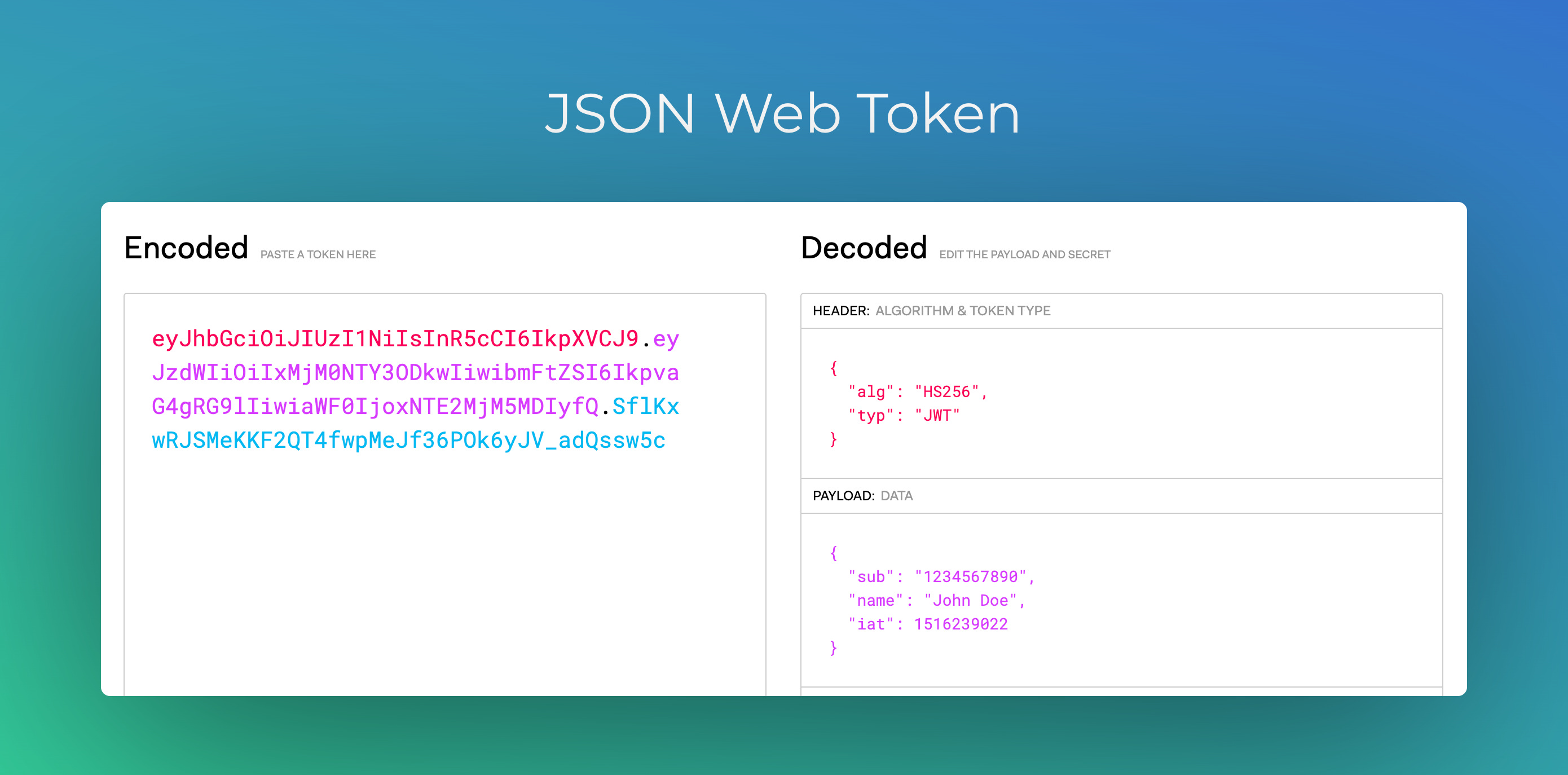
An alternative approach to storing server sessions is the use of web tokens. When you log in to an app, instead of creating a server session, the app generates a special code known as a web token.
This web token is stored in your browser, somewhat akin to how cookies function. Each time you interact with the app, your browser sends this token back to the server. The token acts as a credential, verifying your identity and permissions.
The key difference between web tokens and server sessions lies in how they handle user data. Server sessions store user data on the server. Web tokens, on the other hand, contain the user information within the token itself. The token itself includes details about your identity, permissions, and any other relevant data. Web tokens have increasingly gained popularity due to their enhanced security, greater flexibility, and superior performance.
Types of Authentication
Authentication is a big area, and companies keep working on newer, easier, faster, and more secure ways to provide authentication. Below are some of the most common types:
Single Sign-On (SSO) and Social Logins
The concept of Single Sign-On (SSO) originated in the enterprise sector, allowing users to access multiple applications with one set of login credentials. This approach is logical for employees; once logged into one application, it makes complete sense to be automatically logged into all connected applications using the same session.
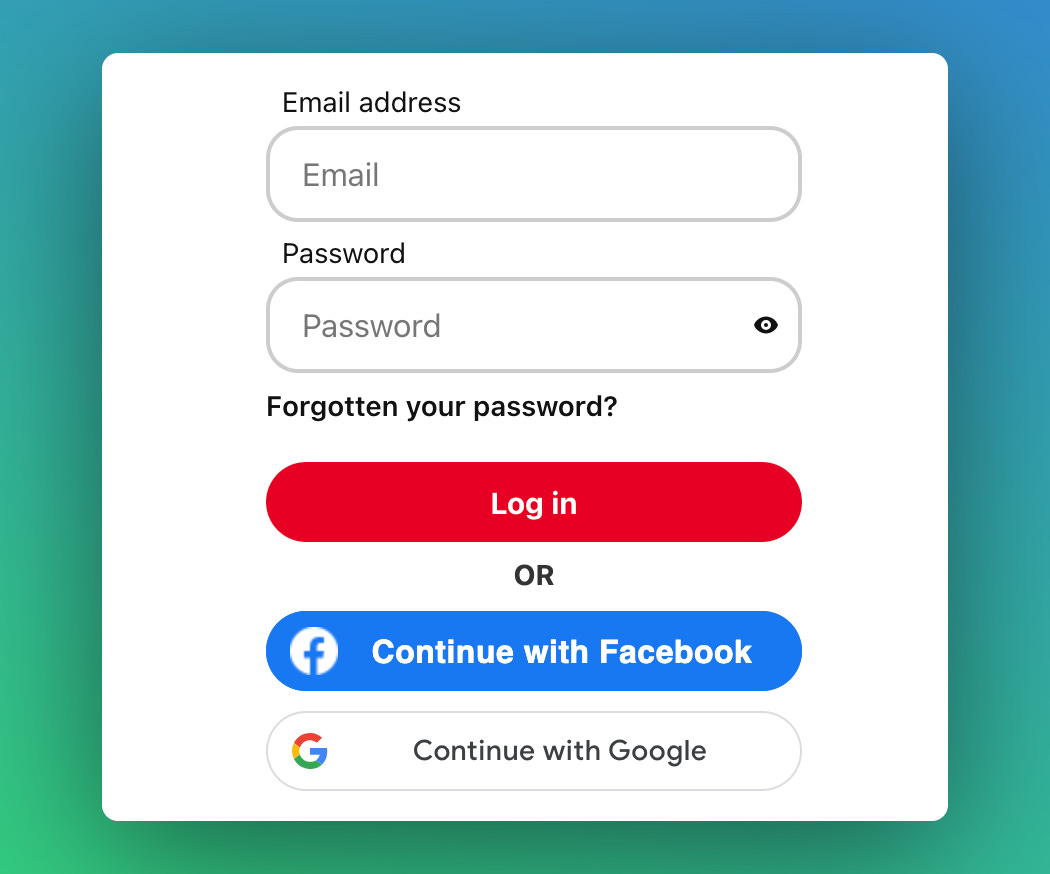
Social logins extend the convenience of SSO to the general public. Many companies, including Facebook, Google, and Apple, offer services that let you use their accounts to log into other apps. On many apps, you'll see options like ‘Login with Google’ or ‘Login with Apple.’ This integration is quite practical.
For instance, consider you have a Google account with the email 'alex@gmail.com' and have used this email to create a Pinterest account. While you can log into Pinterest using a username and password, Pinterest also enables login via Google. Clicking on the ‘Sign in with Google’ button redirects you to Google, where you authenticate with your Google account. Once Google successfully verifies your identity, you're redirected back to Pinterest. Pinterest recognizes that Google has authenticated you with this email, confirming your identity. Although this process might sound intricate, it significantly simplifies the login experience. Pinterest will still maintain a record of your account in their database, linked to your Google-authenticated email.
Passwordless Login Methods
Magic Links: Instead of entering a password, users receive a unique, one-time-use link via email or SMS. Clicking this link logs them in. Magic links are secure and eliminate the need for users to remember passwords.
Authenticator Apps: Apps like Google Authenticator or Authy generate time-based one-time passwords (TOTPs). Users enter these codes to log in, adding an extra layer of security beyond traditional passwords.
Biometric Authentication
This method uses unique biological traits for verification, such as fingerprints, facial recognition, or iris scans. Biometrics are highly secure due to the uniqueness of these traits. They are commonly used in smartphones and high-security environments.
Multifactor Authentication (MFA)
Multifactor Authentication (MFA) is a way of adding an extra layer of security to the login process. It adds another step to your login process for better security. Normally, you just need a password (something you know) to log in. With MFA, you also need a second thing, like a code sent to your phone (something you have) or your fingerprint/face (something you are). This way, if someone guesses your password, they still can't get into your account unless they have your phone or your fingerprint. By requiring multiple forms of evidence, MFA significantly enhances security, making unauthorized access much harder. For instance, even if a hacker obtains your password, they still can't access your account without also having your phone or biometric information.
Companies in the Authentication Business
Authentication is a billion-dollar industry, with various companies offering different services to keep your online accounts secure. For example, Google and Microsoft provide two-factor authentication, requiring both your password and a code sent to your phone for added security. Okta and Auth0 specialize in business-oriented solutions like Single Sign-On, which enables employees to access multiple applications using just one set of credentials. Additionally, Apple's Face ID technology allows you to use your face as a password for a seamless and secure login experience. Companies like Magic.link are pioneering passwordless options, enabling users to log in through a link sent to their email or a prompt on their phone, thus eliminating the need for traditional passwords.
I hope this article has helped clarify the concept of authentication and given you insight into the wide range of services available in the authentication landscape. Feel free to share your thoughts in the comments below.
Very interesting! In addition to authenticating the user, I'm interested to learn how apps authenticate the client software. E.g. for an Android app that talks to a server, how does the server know the client is the legitimate app and not some other client software that tries to use their API ?