What is Serverless
Understand what serverless computing means and its practical applications


How is it possible for a web app to be serverless? Well, it’s not! Any app or website on the Internet is running on a server located somewhere. The term ‘serverless’ is quite confusing in that sense. But hold on, this is not the first time that some technology is referred to by a name that doesn’t make sense.
Serverless - Definition
The term ‘serverless’ is used to describe the scenario where you don’t have to manage the server at all. In fact, you’re completely oblivious to the server setup and what’s going on inside of it. You don’t have to worry about the hardware, operating system, or even the software running on the server. You just focus on building the software, and when the time comes to show it to the world, you deploy your code on a serverless service and they take care of the rest and make it available for everyone to see and use.
Serverless Functions
One of the most common use cases of serverless is to execute some backend code in response to an event such as an API request. These bits of backend code that we’re executing are called functions. One popular service that allows you to deploy and execute functions is called AWS Lambda functions. Let’s take an example to understand how it works.
Let’s say you have a popular website where users can signup or register to use the website. When a user fills out the registration form on your website and clicks the ‘Register’ button, it sends a signal (an event) to the AWS Lambda function.
A Lambda function is a piece of code that’s running on AWS. This lambda function’s job is to handle the registration, i.e., to receive the user’s details and add them to a database. The Lambda function is always waiting for the registration events so that it can get to work and execute it. This ’waiting’ is also called listening to events.
As soon as the registration page sends this event, the Lambda function receives it and does its work. It takes the user details received and adds them to a database.
Once done, the Lambda function goes back to waiting for the next event.
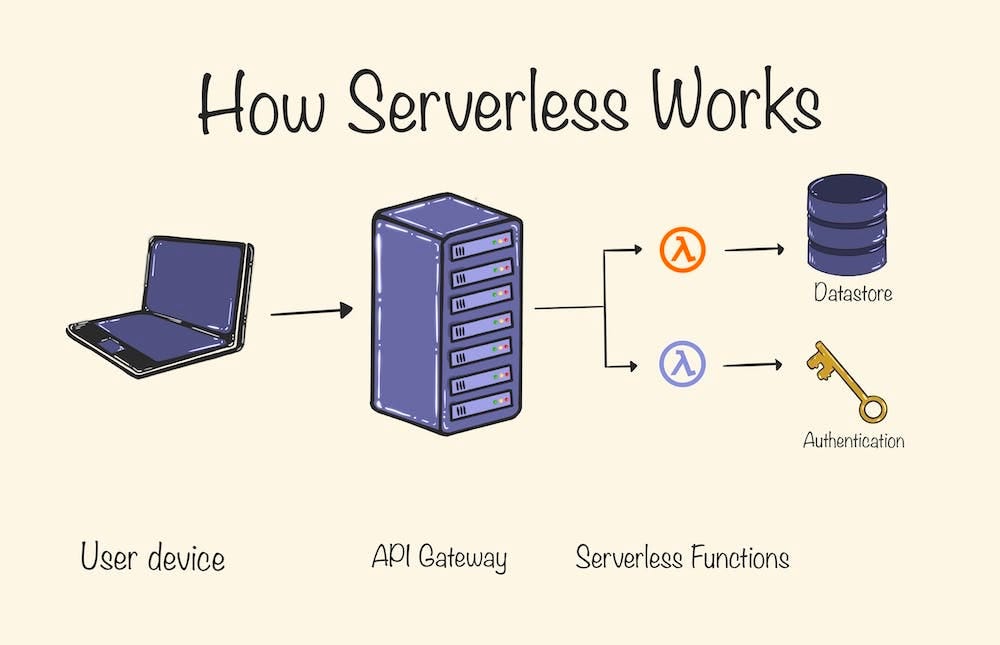
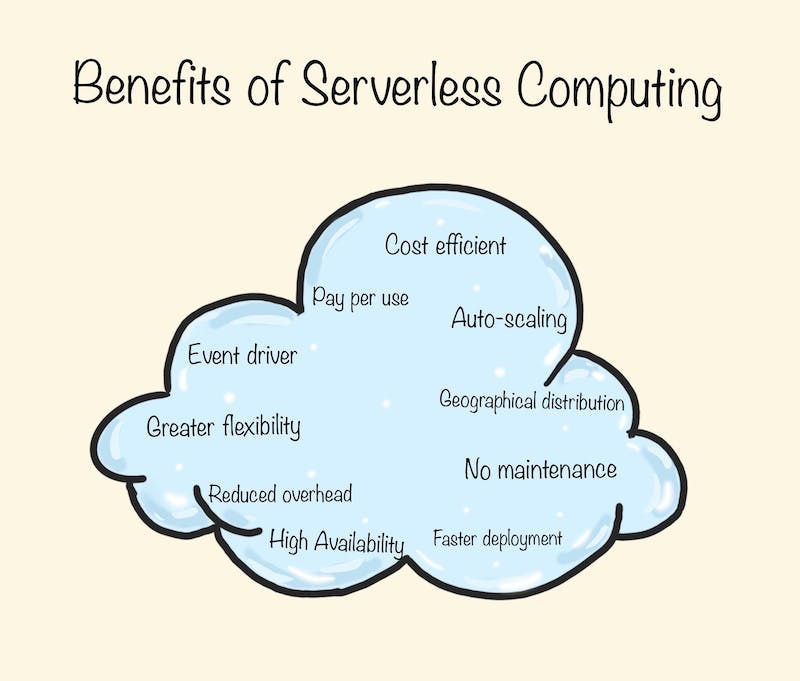
In a traditional setup, you would have set up a server to execute this code and paid a monthly fee for the server. However, with AWS Lambda, you didn’t have to worry about the server at all. And you don’t even have to pay for the whole month. You only pay for the when the function is actually working (processing an event). You pay nothing for the time it's waiting. This makes serverless functions much more cost-effective than having your own servers (server-full setup as some would call it).
Examples of Serverless Functions
Above, we saw an example of how a Lambda function can be sued to perform a backend task, like registering a user. Serverless functions can do a variety of tasks as you can write complex code in these functions to perform tasks for your needs. They can even interact with third-party APIs and services to complete the tasks. Here are a few examples:
Image Processing: When a user uploads an image to your application, a serverless function can be triggered to perform operations like resizing the image, compressing it, or applying filters.
Data Transformation: A serverless function can be used to transform data from one format to another. For example, when an Excel file is uploaded, a cloud function is triggered to convert it into a CSV or a JSON file.
Notifications: We can use the serverless functions to send notifications (email, sms, push) in response to events such as user registration, password change, friend request in a social media app, etc.
Scheduled Tasks: Serverless functions can be used to perform periodic tasks, such as backups or updating analytics dashboards. Instead of triggering these functions by events in your app, you can trigger them using a timer.
Real-time File Processing: When a user uploads a file, a serverless function can be used to process the file in real time. For example, extracting text from a PDF file or analyzing an uploaded audio file.
Data Validation: When data is received (from user input, or third-party services), a serverless function could be used to validate this data before it's processed or stored.
Is Everything Serverless?
If you remember from our article on backend and frontend, there are many parts that go into making a web app run smoothly. There is the frontend, and then there are backend services such as the API, the database and so on. The above example was of a backend task. It’s not necessary that the entire stack of a web app is serverless. You can still have some things running on the server managed by you (like your frontend or database), while the other things (backend tasks) are deployed as serverless functions. Technically, it’s possible to adopt serverless for everything. However, it may not always be productive.
Examples of Serverless Providers
All big cloud providers and many small players provide serverless products for a variety of services. Here I’ve listed a few examples categorized by the type of service.
Cloud Functions
Using these cloud functions, you have the ability to deploy your backend as numerous distinct functions, with each one executing a specific task. This is the most commonly used serverless tech. Some examples:
AWS Lambda
GCP Cloud Functions
Azure Functions
Frontend
While serverless architecture is generally associated with backend processes such as APIs, and data processing, with advancements in web technologies, serverless has found its use in frontend services as well. We can use serverless concepts to serve frontend assets and perform frontend operations. An example of this would be a website built using Nextjs and deployed on Vercel.
Serverless Database
Serverless databases automatically manage the infrastructure for you, allowing you to focus on your data rather than on maintaining and scaling your database. With these databases, there are no servers to provision, or manage, and no software to install, maintain, or operate. They provide automatic scaling, high availability, and high performance. Some examples:
Amazon DynamoDB: A NoSQL database offered by AWS
Google Cloud Firestore: A NoSQL database offered by Google Cloud
Azure Cosmos DB: A multi-model database offered by Microsoft Azure. It supports various data models, including document, graph, key-value, table, and column-family data models.
AWS Aurora Serverless: A relational serverless database offered by AWS. It supports SQL and PostgreSQL.
A lot of interesting services are coming up in this space. Some examples are Vercel (Static sites and serverless functions), FaunaDB (NoSQL database), BigQuery (Data warehouse), Neon (Serverless Postgres database), and Netlify (hosting and serverless backend services).
I hope this article helped you clarify some doubts about serverless tech. Make sure you watch out for new products and services emerging in the serverless world.