What is an API?
Almost every software uses some APIs


If you work in a tech company, API is a term that you will hear about frequently in your workplace. This article is all about APIs.
API - What is it?
An API, or Application Programming Interface, is a piece of code that takes some inputs and gives you an output. An API is the primary way in which different software applications interact with each other and exchange information. That’s why the name. It’s the programmatic way for applications to interact with each other.
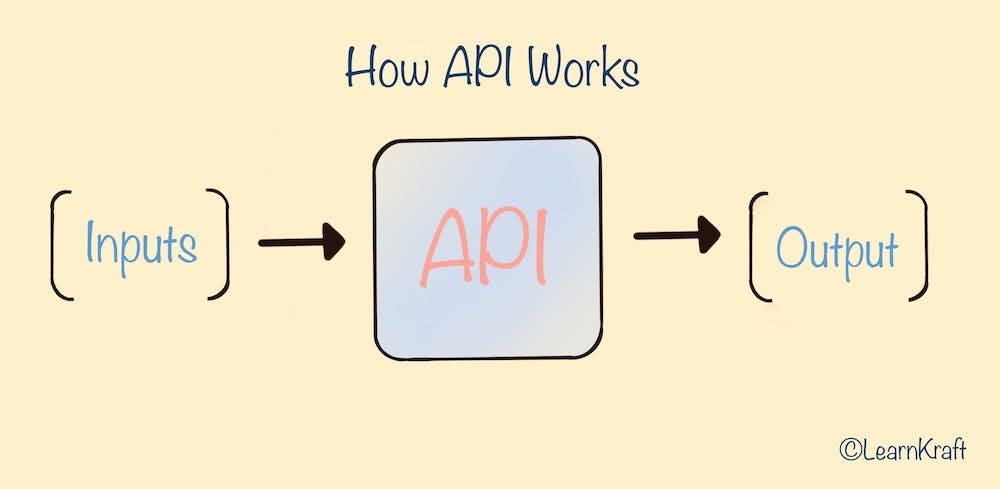
Let’s understand this with the help of a few examples.
Google Maps API
We all use google maps. Review our earlier article about backend and frontend, explaining how all software has a frontend and a backend.
In the case of Google Maps, the Mobile app and the Website are the two frontends. When you enter an address, it shows you the location on the map. What actually happens is that when you input an address, the frontend sends a request with the address as input to the Google Maps API. The API is a part of the Google Maps backend, which is waiting for the requests. Once it receives the request, it processes the request, runs all the magic it has to, fetches the coordinates (Lat and Long) and sends these coordinates as output to the frontend. The frontend then displays these coordinates on the map.
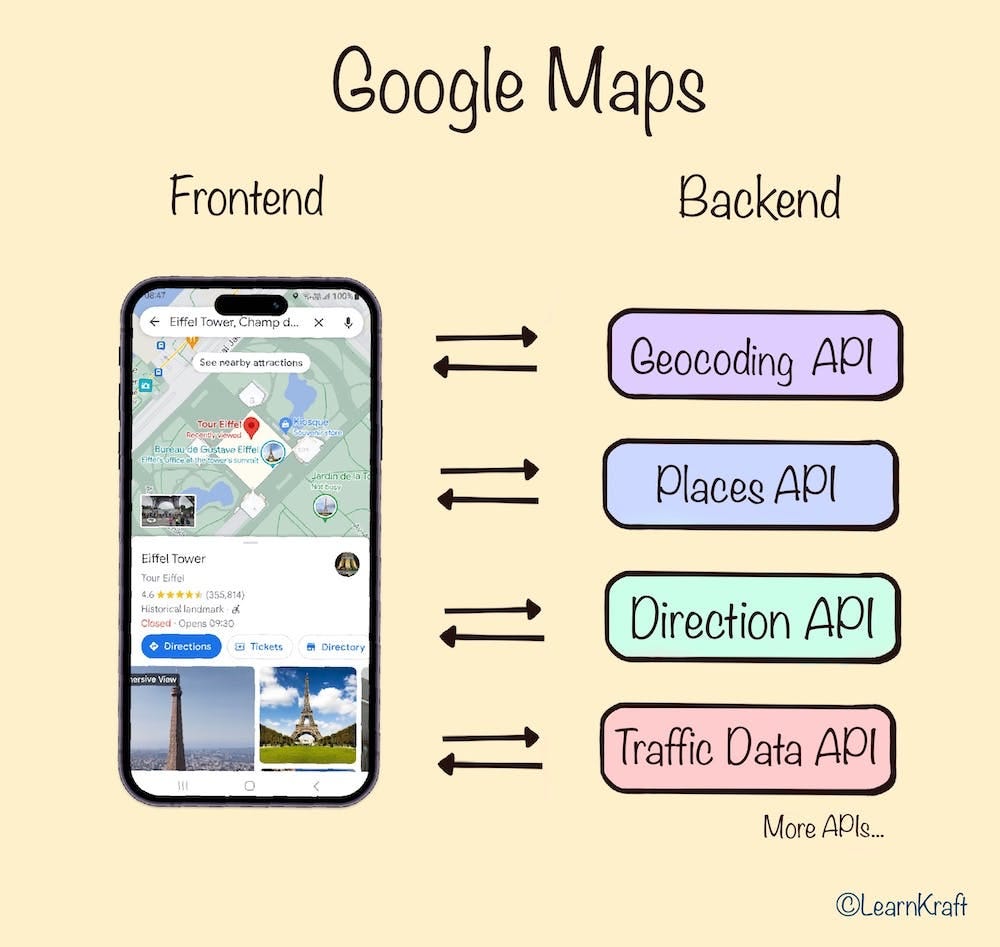
This sending a request is known as ‘Calling an API’. Along with the coordinates, the API could also return some other useful information that we see on the screen. Or this additional information could be coming from another API call made by the frontend. It all depends on how the development team decides to structure their APIs.
As we mentioned initially, each API is a piece of code that takes an input, performs some actions, and returns an output. Each such function is called through what we call an API endpoint. So, the API endpoint that we described above could be called ‘/getcoordinates’ or something like this and its job is to receive addresses and return coordinates. Google Maps calls it Geocoding API. Similarly, everything that you do in Google Maps will be interfacing with a bunch of APIs in the backend.
Some more examples of Google Maps APIs:
Places API: This API provides information about places, which are defined as establishments, geographic locations, or prominent points of interest. When you search for restaurants near me, this API is at work to get the information.
Directions API: This API provides directions between locations. It can give step-by-step instructions for various modes of transportation, like driving, walking, or public transit. This is what we use when we are travelling to new destinations.
Traffic Data API: As you can guess, this is the API that adds traffic data to Google Maps when you are travelling.
Public vs. Private APIs
At this point, it’s important to make one important distinction. An API can be a private or a public API.
In the example we saw above, it’s Google’s own front-end apps that are fetching and using the data from Google’s own backend/APIs. This is an internal usage of the API. Google may have 100s of APIs to create the full user experience on the Google Maps app.
Google may choose to make some of these API endpoints public so that other app developers can use these public APIs in their own apps. They will keep the other APIs private only for their own internal use.
Uber App’s Use of Google Maps
Uber is another app we all use regularly to book rides. When we book a ride, a few API calls are made behind the scene to fulfil your request.
Internal APIs
Many of the API calls made in Uber’s app will be to their own backend and internal APIs. Some examples are:
Authenticating the user: The user logs in and the API verifies your credentials
Displaying available cars around you: To display available cars around you, Uber would call its own internal API to fetch data about nearby drivers.
Calculating fare and ETA: Uber would call its internal APIs to calculate the estimated fare and time of arrival based on factors like distance, travel time, car type, and current demand.
Finding the driver: You enter the pickup and destination address, and the API finds the driver for you.
This is just an educated estimation of how their APIs might work. The actual functionality will be proprietary.
Public APIs
Along with these internal API calls, Uber also makes use of some public APIs in their app.
Maps: Uber doesn't have its map. Instead, it uses the API of Google Maps to show you the map within the Uber app. This is what a public API does. It allows Uber to use features from Google Maps, making your experience as a user seamless. Google Maps Geolocation API is used to determine and display your current location on the map. Uber may also use Google Maps Directions API to fetch the best path from your current location to your destination.
Payments: If you decide to book the ride, and once the trip is completed, Uber would communicate with a Payment API (like Stripe, PayPal, or others) to handle the transaction.
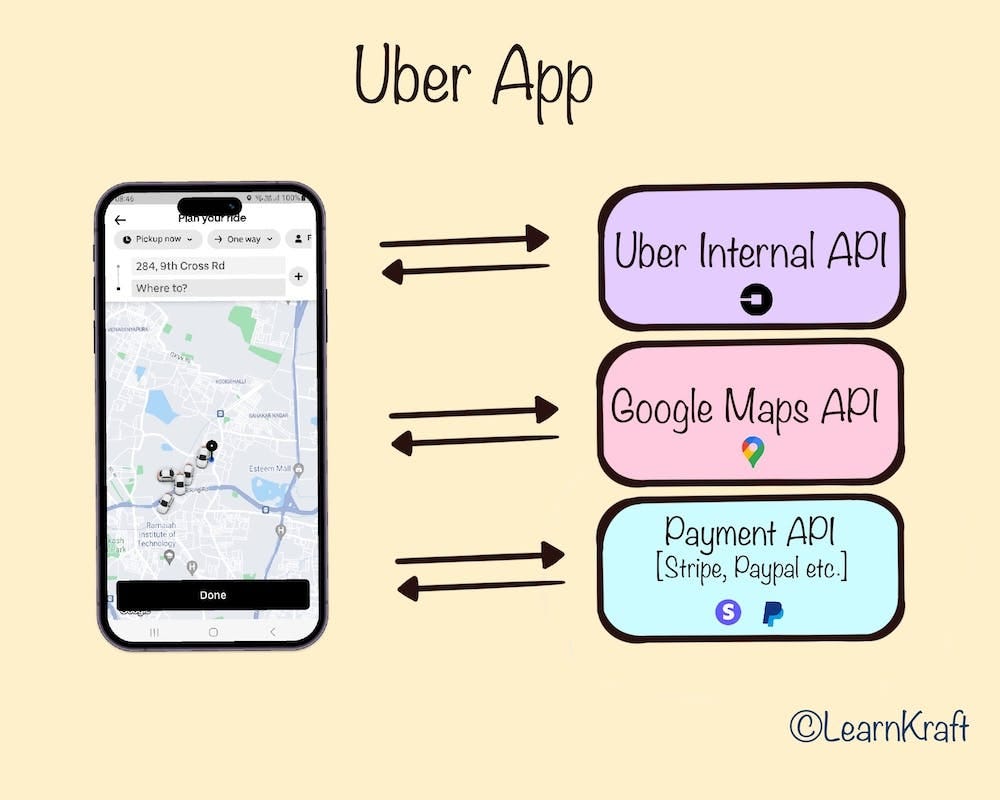
These are just some of the potential API calls that could be made. In reality, modern applications like Uber might make dozens or even hundreds of API calls for various tasks during the process of booking and completing a ride.
An interesting point to note is that Uber also has some public APIs which allow other developers to use Uber’s API to integrate some of their data and services into their app. But not all Uber APIs will be public. Only some will be.
To conclude, APIs are a crucial part of all modern software. They enable different software applications to communicate and share data and functionalities seamlessly.